
Please fill in the form below and one of our expert team will be in touch.
Omni is now Klipboard Omni
ERP & Accounting Software for Small to Large Businesses
Klipboard Omni empowers businesses of all sizes by integrating essential functions ERP and accounting into a single, comprehensive platform. From inventory and job costing to sales and supply chain management, all your data is instantly accessible and always up to date.

42,000
Global Customers

100,000
Orders processed daily

250,000
Daily users
What to Expect from Your Demo
A no-pressure, 30-minute session to show you exactly how Omni, now Klipboard Omni can simplify your operations, reduce costs, and improve customer satisfaction..
Custom walkthrough
We’ll tailor the demo to your business — whether you’re a single-location distributor or managing multiple branches.
Live Q&A
Ask anything about features, integrations, and ROI — our experts will give clear, actionable answers.
Action plan
You’ll leave with a step-by-step outline for implementing Omni and seeing results fast.
- Advanced Inventory Control
- Manufacturing (BOM)
- Stock Serial and Batch Numbers
- Material Requirement and Planning
Advanced Inventory Control
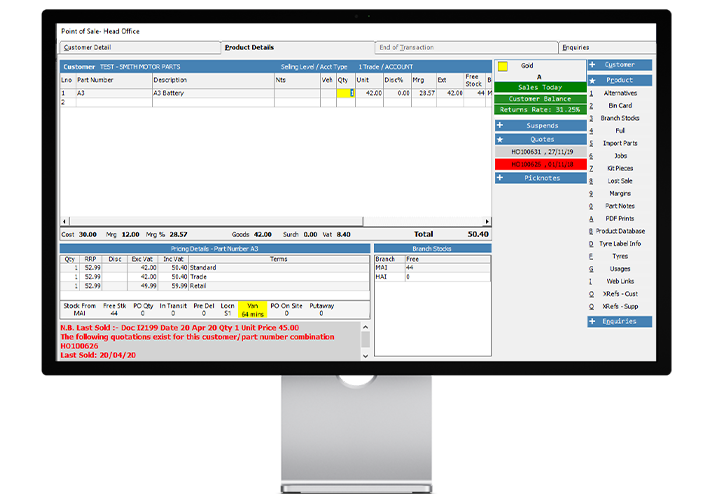
Smart Stock & Sales Management
The system tracks stock levels and locations. Sales Orders monitor stock needs, while Purchase Orders track incoming stock. Supplier Invoices and Deliveries update costs and levels, and Sales Invoices record customer and stock history, including sales reps and customer types.
Manufacturing (BOM)
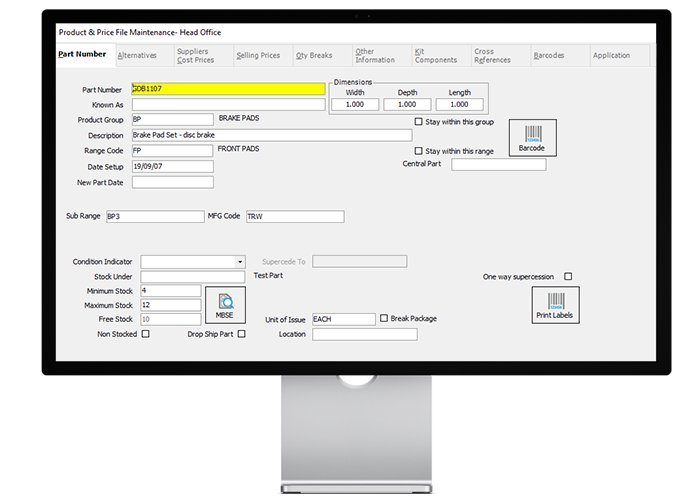
Streamlined Manufacturing Management
For manufacturers, Sales and Purchase Orders link to required raw materials, Bills of Materials (BOMs) store recipes, and Job Costing or Production Batches manage the production process.
Stock Serial and Batch Numbers
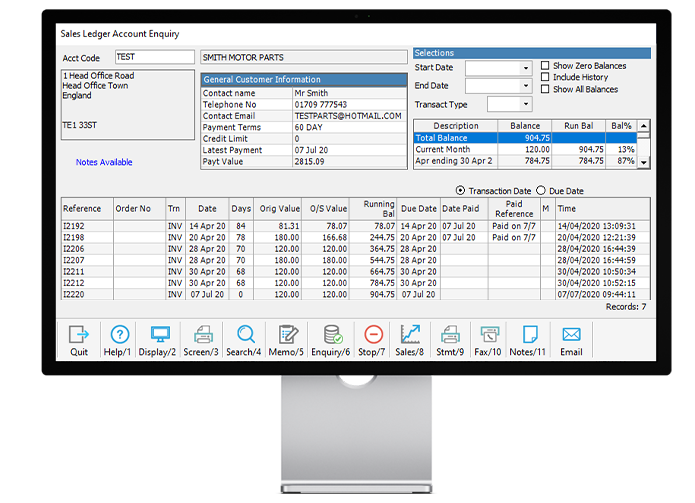
Complete Stock Control
The system tracks stock from purchase to sale and everything in between. It can be configured to use serial numbers, batch numbers, or both.
Material Requirement and Planning
Smarter Inventory Planning
MRP helps prevent stockouts and overstock, ensuring smooth operations for manufacturing, distribution, and retail businesses.
What Our Clients Say

Almost 100% of the set up was via remote implementation without any downtime. Once implementation was complete, the company noticed significant improvements across their system.
David MacNeany
Strongline Autoparts Director
When we’re planning a new site, the call to MAM Software is the first one we make. We want to know what internet connectivity will be like, plus the estimated timescale for getting the system live. Because, in reality, Autopart Online is critical ...
Jason Farrugia
Titan Motor Factors Director
MAM’s reputation in the Automotive aftermarket was a key factor in our decision to change from our existing software provider.
Ray Murphy
Murfit Autoparts
Frequently Asked Questions
Is Omni now part of Klipboard?
- Press the F1 key — this opens Omni’s context‑sensitive help. Omni Accounts
- They provide a “Daily Processing” PDF to help with common tasks. Omni Accounts
- There are training courses available (in cities such as Johannesburg, Durban, and Cape Town). The basic “Introduction to Omni Accounts” course costs R299 for a 3‑hour online session. Omni Accounts
- If you prefer in-person help, you can be referred to an independent Omni consultant — contact via their site’s “consultant referral” option. Omni Accounts
- If you bought a boxed version, there’s a “Getting Started” booklet included. If you bought via download, you can access the same booklet online. Omni Accounts+1
Where can I get help getting started with Omni Accounts?
- Press the F1 key — this opens Omni’s context‑sensitive help. Omni Accounts
- They provide a “Daily Processing” PDF to help with common tasks. Omni Accounts
- There are training courses available (in cities such as Johannesburg, Durban, and Cape Town). The basic “Introduction to Omni Accounts” course costs R299 for a 3‑hour online session. Omni Accounts
- If you prefer in-person help, you can be referred to an independent Omni consultant — contact via their site’s “consultant referral” option. Omni Accounts
- If you bought a boxed version, there’s a “Getting Started” booklet included. If you bought via download, you can access the same booklet online. Omni Accounts+1
How can I add my logo and banking details to my invoices?
- Go to Tools → Options → Edit Company Setup. Omni Accounts
- Click Edit next to “Main Branch”. Omni Accounts
- Go to the Printing tab — here you can set a default bank account and upload your company’s logo. Omni Accounts
- When printing, choose an invoice template that supports a logo (for example “Block Style”). Omni Accounts
How do I delete accounts?
- Use the Account Enquiry to find the account, or list all accounts. Omni Accounts+1
- Select the account you want to delete, then click the red cross on the grid’s toolbar. Omni Accounts+1
- If the account can’t be deleted (e.g. if it has transactions), it will instead be deactivated. Omni Accounts+1
- If it can neither be deleted nor deactivated, a message will tell you why. Omni Accounts+1
Why can I only deactivate an account, and not delete it?
- If an account has transactions posted against it, it cannot be deleted. Omni Accounts+1
- If it has no balance and no posted transactions, it can be deleted (or deactivated). Omni Accounts+1
- From a user’s perspective, deactivation is almost the same as deletion — the difference is that deactivated accounts remain in the system and can still be reported on. Omni Accounts+1
- If needed, a deactivated account can be reactivated. Omni Accounts+1
How do I reactivate a deactivated account?
- Run an Account Enquiry or list all accounts. Omni Accounts+1
- Use the filter button to show inactive accounts. Omni Accounts+1
- Find the inactive account and double-click it. Omni Accounts+1
- Tick the “Is Active” checkbox and save. The account becomes active again. Omni Accounts+1
What is Remote Desktop?
- Remote Desktop is a utility built into Windows that allows you to log in to a PC remotely — essentially giving you control over that remote PC as if you were physically using it. Omni Accounts
How can I access training courses for Omni Accounts?
• Omni offers various training courses in cities like Johannesburg, Durban, and Cape Town. Omni Accounts
• The “Introduction to Omni Accounts” course costs R299 for a 3-hour online session. Omni Accounts
• You can register online via the Omni website or contact support for more information. Omni Accounts
What do I do if I need personalised consulting?
• You can be referred to an independent Omni consultant for in-person support. Omni Accounts
• Use the “consultant referral” option on the Omni website to find a consultant in your area. Omni Accounts
• Consultants can help with setup, customization, and specific business workflows. Omni Accounts